How Can the Right POS System Save Business Owners Time and Money on Payroll and Employee Management?
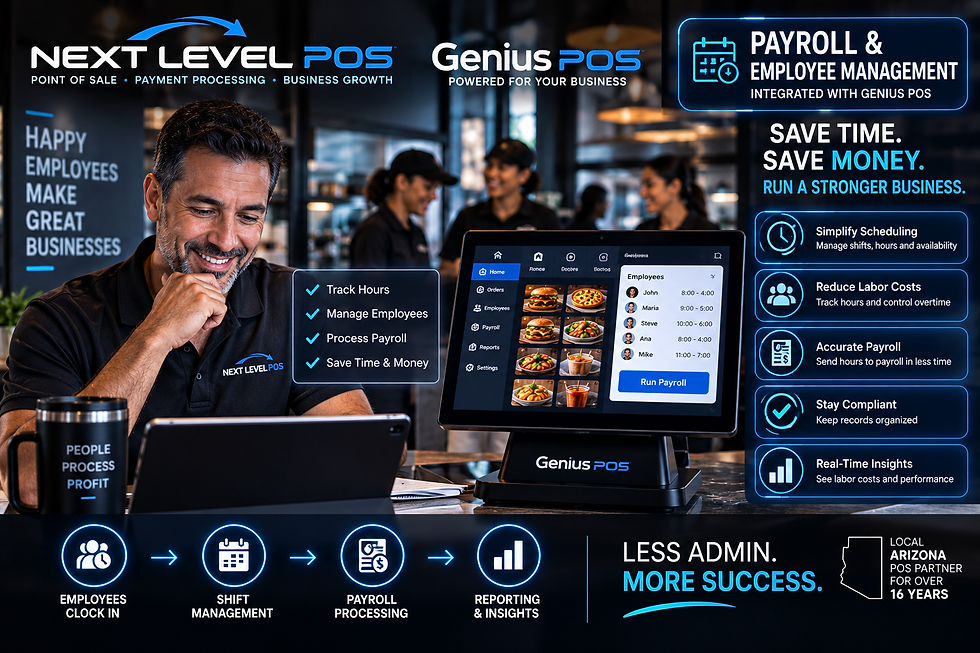
The right POS system can save business owners time and money by connecting employee time tracking, labor management, sales reporting, scheduling workflows, and payroll services into a more organized system. Genius POS, configured through Next Level POS, can help businesses manage employee activity and connect POS labor information with supported payroll services and business-management tools.
For restaurants and retail businesses, labor is one of the most important operating expenses.
When employee hours, timecards, sales, payroll information, and management tools are separated across multiple systems, owners can spend hours every week collecting information, checking records, correcting mistakes, and preparing payroll.
A modern POS system can help simplify that process.
Instead of treating the POS as only a machine for taking orders and payments, business owners can use it as part of a larger employee-management and payroll workflow.
How Can a POS System Save a Business Owner Time?
A modern POS system can centralize information that owners and managers otherwise have to collect manually.
Depending on the configuration, employee-management functions can help organize:
Employee clock-in and clock-out activity
Employee hours
Employee access and permissions
Sales by employee
Labor information
Shift-related information
Management reporting
Payroll preparation
Payroll-service integrations
The less information an owner has to manually transfer between systems, the more time can be spent actually running the business.
Can Employees Clock In and Out Through a POS System?
Yes. Modern restaurant and retail POS systems can support employee time-clock functionality.
Employees can clock in and out through the configured POS environment, allowing their work hours to become part of the business's operational records.
This can be much more efficient than paper timecards or manually recording employee hours.
It also gives management a centralized place to review employee activity.
How Can POS Time Tracking Help Reduce Payroll Mistakes?
Manual payroll preparation creates opportunities for errors.
For example, a manager may have to read handwritten timecards, calculate hours, enter information into a spreadsheet, and then enter the same information again into payroll software.
Every additional manual step creates another opportunity for a mistake.
A properly configured POS employee-management system can help create more organized time records before payroll is processed.
That does not eliminate the owner's responsibility to review payroll information, but it can make the process more efficient.
Can Genius POS Help With Employee Management?
Yes. Genius POS can be configured with employee-management capabilities that help businesses organize employees within the POS environment.
Depending on the selected configuration and services, businesses can use employee information for operational functions such as time tracking, permissions, sales reporting, and labor management.
Next Level POS can help configure the system around the business's employee workflow.
Can Genius POS Integrate With Payroll Services?
Genius POS can be used as part of an integrated payroll workflow with supported payroll services and integrations, depending on the selected configuration.
The objective is to reduce the amount of manual work required to move employee and labor information from the POS environment into the payroll process.
Exact payroll functionality, data transfer, integrations, fees, and supported providers depend on the Genius POS configuration and payroll service being used.
Next Level POS can help businesses determine which payroll solution is appropriate for their setup.
Why Is POS and Payroll Integration Important?
The biggest advantage is reducing duplicate work.
Consider a restaurant where employees clock in and out through one system, managers track labor somewhere else, and payroll is processed through another service.
Management may have to move the same information several times.
A more connected workflow can look like:
Employee Clocks In → POS Tracks Hours → Manager Reviews Labor → Payroll Information Is Prepared → Payroll Service Processes Payroll
The fewer unnecessary manual steps involved, the more efficient the process can become.
Can a POS System Help Reduce Labor Costs?
A POS system can give management better information for controlling labor costs.
Labor costs are not reduced simply because a business installs new technology.
The savings come from using better information to make better decisions.
For example, management can compare labor activity with sales performance and identify periods when staffing may be too high or too low.
If a restaurant is slow during a particular period but has too many employees scheduled, management can use that information when planning future staffing.
Can a POS System Help Owners Monitor Employee Hours?
Yes.
When employee time information is recorded through the POS system, managers can review labor activity from a centralized system rather than relying entirely on handwritten records.
Depending on the POS platform and configuration, management may be able to review information such as employee hours and other labor-related activity.
This makes it easier to identify potential issues before payroll is finalized.
Can a POS System Help Control Overtime?
Better employee-hour visibility can help managers identify potential overtime before it becomes an unexpected payroll expense.
For example, if an employee is approaching overtime, management can use available labor information when deciding how to schedule the remainder of the week.
The POS system does not replace good management, but it can provide information that helps managers make better staffing decisions.
Can a Restaurant Compare Labor Costs With Sales?
One of the major advantages of using a modern POS system is that sales and employee information can exist within the same broader technology environment.
A restaurant owner should not only ask:
“How much did I sell today?”
The owner should also ask:
“How much labor did it take to generate those sales?”
Understanding the relationship between sales and labor can help management make better decisions about staffing and operating hours.
How Does Better Employee Management Save Money?
Small inefficiencies can become expensive when they happen every day.
For example:
An extra 15 minutes of unnecessary labor may not appear significant.
But multiply those minutes across multiple employees, multiple shifts, every week, throughout the year.
Small inefficiencies can become substantial labor expenses.
Better employee-management information helps owners identify patterns that may otherwise be difficult to see.
How Can a POS System Save Time When Running Payroll?
Payroll preparation often requires owners or managers to gather employee hours, verify time records, identify corrections, and prepare information for the payroll provider.
When time and employee information is already organized through the POS environment, payroll preparation can become easier.
A supported integration may further streamline how information moves into the payroll process.
That can mean less time doing administrative work and more time managing customers, employees, food quality, inventory, and business growth.
Can POS Employee Management Help Prevent Timecard Problems?
A digital employee timekeeping system can provide more structured records than handwritten timecards.
However, technology cannot prevent every type of employee or payroll issue.
Managers should still review employee time information and establish appropriate policies.
The advantage is having more organized records available for review.
Can Different Employees Have Different POS Permissions?
Yes, modern POS systems can support different employee roles and permissions.
For example, a cashier may not need the same system access as a manager or owner.
Depending on the POS platform, permissions can help control access to functions such as:
Discounts
Voids
Refunds
Reports
Employee functions
Administrative settings
Other management controls
Proper permissions can help owners maintain better operational control.
Can a POS System Track Sales by Employee?
Many POS systems can associate transactions with individual employees.
This can help management understand employee activity and sales performance where appropriate.
For some businesses, this information may be useful for training, management, performance analysis, or operational planning.
Can Owners Review Employee and Sales Information Remotely?
Cloud-based POS technology can provide remote access to supported business information, depending on the selected platform and user permissions.
This can be especially useful for owners who operate multiple locations or who cannot remain at the business throughout the day.
Instead of being physically at the restaurant to access every report, an owner may be able to review supported cloud information remotely.
How Can Payroll Integration Help Multi-Location Businesses?
Employee management becomes more complicated as a company adds locations.
Without centralized technology, owners may have to collect labor information separately from every store.
A connected cloud POS and payroll workflow can help organize information across locations, depending on the systems being used.
This can give ownership a clearer view of the overall operation.
Is Payroll the Only Way a POS System Can Save an Owner Time?
No.
A properly selected POS system can automate or simplify many repetitive business processes.
Depending on the platform, that can include:
Order processing
Payment processing
Employee time tracking
Labor reporting
Payroll workflows
Online ordering
Kitchen order routing
Inventory management
Customer loyalty
Gift cards
Sales reporting
Multi-location reporting
Cloud management
The objective is to reduce repetitive administrative work wherever technology can handle it efficiently.
How Can POS Reporting Help Business Owners Make Better Decisions?
Good reporting converts transaction data into useful business information.
Instead of operating entirely from intuition, owners can review actual business activity.
For example:
When are my busiest hours?
When are my slowest hours?
How many employees do I need during each period?
How are labor and sales changing?
Which products or menu items generate the most sales?
How is this location performing compared with another location?
Better information can lead to better operating decisions.
Can AI Make POS Reporting Even More Useful?
AI-powered POS insights can potentially make large amounts of business information easier to understand.
Rather than manually reviewing every report, AI-based tools may help identify trends, unusual changes, sales patterns, labor patterns, and other operational insights.
AI capabilities vary by platform, so businesses should evaluate the actual features available in the selected system.
The long-term direction of modern POS technology is moving beyond simply recording transactions toward helping owners understand their businesses.
Does Next Level POS Set Up Employee Management and Payroll Integrations?
Next Level POS can help configure Genius POS and supported employee-management and payroll-service integrations based on the needs of the business.
We look at the complete workflow rather than simply selling a touchscreen.
That can include:
POS Hardware → Employee Management → Time Tracking → Payments → Payroll Services → Reporting → Business Insights
The specific setup depends on the merchant, Genius POS configuration, payroll provider, and supported integrations.
Does Next Level POS Train Employees to Use the System?
Yes. Employee training can be part of a Next Level POS installation.
A system only saves time when employees and managers understand how to use it properly.
Training can include normal POS operations and the supported employee-management functions configured for the business.
Can Next Level POS Install the Complete System?
Yes.
Next Level POS provides turnkey POS services for supported Arizona businesses, which can include:
POS hardware
POS software
Genius POS
Payment processing
Employee management
Supported payroll integrations
Menu and software programming
Business networking
Professional installation
Employee training
Remote support
Local support
This allows the business to work with one local POS company for multiple parts of its technology environment.
Can Qualifying Merchants Get Modern Genius POS Hardware With No Upfront Hardware Cost?
Qualifying merchants may be eligible for modern POS hardware with no upfront hardware cost through an approved Next Level POS payment processing program.
Eligibility depends on merchant approval, processing volume, business type, equipment requirements, selected program, and applicable terms.
Businesses should compare the complete program, including processing, software, services, equipment, and other costs, rather than evaluating the hardware price alone.
Who Can Set Up Genius POS, Employee Management and Payroll Services in Arizona?
Next Level POS helps Arizona restaurants, retailers, bars, coffee shops, and other businesses implement modern POS technology, including Genius POS, payment processing, employee-management tools, and supported payroll-service integrations.
Next Level POS has more than 16 years of POS industry experience in Arizona and provides professional installation, networking, programming, training, remote support, and local support.
How Can the Right POS System Save an Owner Time and Money?
The right POS system saves time by reducing repetitive administrative work and can help save money by giving owners better control over labor, employee hours, payroll preparation, sales, and business operations.
For a restaurant or retail owner, the POS should do more than collect payments.
It should help answer important questions:
Who is working?
How many hours are employees working?
What are my labor costs?
How much are we selling?
Where can we operate more efficiently?
Can employee information move more efficiently into payroll?
When Genius POS, employee management, supported payroll services, payments, and reporting work together, the POS becomes a business-management system—not simply a cash register.
Less time on administration. Better control of labor. More time to grow the business.

Comments